Join the best erotica focused adult social network now
Login

Image size when posting on Forum or Gallery

last reply
10 replies
754 views
0 watchers
0 likes
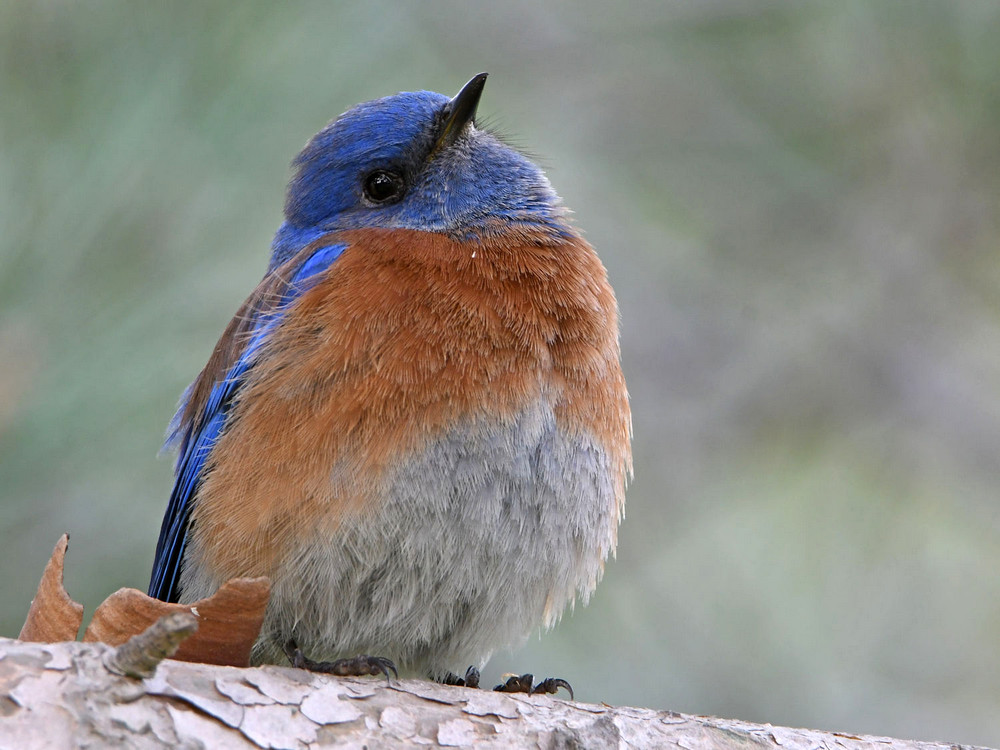
What are the rules on how images are resized and compressed? I have stopped posting mine because they are consistently shrunk and compressed so hard they look awful. The last bird picture I put up was 750 x 1000, 253 kb from me. It posted at 450 x 600, 36 kb, and made me wish I hadn't posted. Then I see Sprite's book cover on "What are you reading" and it posted at 1694 x 2560, 1,193 kb, all crisp and clean.

More of her potent blackmail skill? Or am I doing something wrong? Is it based on individual topic rules?


Quote by kistinspencil
What are the rules on how images are resized and compressed? I have stopped posting mine because they are consistently shrunk and compressed so hard they look awful. The last bird picture I put up was 750 x 1000, 253 kb from me. It posted at 450 x 600, 36 kb, and made me wish I hadn't posted. Then I see Sprite's book cover on "What are you reading" and it posted at 1694 x 2560, 1,193 kb, all crisp and clean.

More of her potent blackmail skill? Or am I doing something wrong? Is it based on individual topic rules?


When uploading images from your devices whether its a pic or a .gif, the limit is 4MB
You get a message like this:


This was the image that was over the limit:


A user can use the following site to resize their image, create .gifs and much more:

https://ezgif.com

When uploading image to gallery, do recall to untick a certain little box:


At times, it depends where you get your images from too.


--
At the same time, do you want to be that user that uploads a super large pic and ruins how the thread looks?
At times, the page is so stretched out that you can't even read what a user posted along w/ said image.
Or maybe its because I have my devices font at tiny.

Chrome:


Samsung Tablet Settings:


And do recall, that we are all using different devices and what may look good on your screen can be ruining others screen.


Quote by IMPÜRETHOUGHTS

At the same time, do you want to be that user that uploads a super large pic and ruins how the thread looks?
At times, the page is so stretched out that you can't even read what a user posted along w/ said image.
Or maybe its because I have my devices font at tiny.


Thank you for the reply.

The issue is not with size. I never post anything greater than 1000 x 750 px. The problem is the massive compression of an image when uploaded. The image above was only 250 kb in size, half what is allowed for an avatar. As it appears here, it has been reduced to 60 kb or by more than 75%. If that is to be expected, at what size and dimension should the original be to prevent it getting turned to mush when posted? And why is the standard of reduction used, both size and compression, so inconsistently applied?

I spend as much time or more as a photographer than a writer, so the quality of my contributions is important to me.
Instead of uploading the image directly, use the link to online image option. Since the board doesn't have to actually store the image it should just display it workout compression.

Whatever was posted is always meant in love and respect never to offend.
I'm also highly likely to have posted this from a phone so there may be typos or odd word changes, auto correct can be a pain.

I've been listening to my kinky pencil here's my current work

Okay, got it. Will have to start uploading them first.
How are you uploading your images?

When I do it, I get an option "Resize image to fit" which by default is ticked (see screenshot posted by impurethoughts) and leads to drastic size reduction as you say.

But if I untick this, the image is just uploaded in its original form with no further compression.

Demo. "Resize image to fit" ticked, 54k:


"Resize image to fit" unticked, 257k:

Quote by NicolasBelvoir
How are you uploading your images?

When I do it, I get an option "Resize image to fit" which by default is ticked (see screenshot posted by impurethoughts) and leads to drastic size reduction as you say.

But if I untick this, the image is just uploaded in its original form with no further compression.

Demo. "Resize image to fit" ticked, 54k:


"Resize image to fit" unticked, 257k:


Thank you. I'll start uploading to my gallery, hidden, then link then. They are still recompressed around 20%, but are at least properly sized. I'll just have to save with less compression to begin with.
Glad we were able to help you out.
Quote by IMPÜRETHOUGHTS

Glad we were able to help you out.


I do appreciate it. Thank you.