Quote by CosmicTwist
How come it seems there are some media folders you cannot delete or delete the images within them? I just posted an image into a private chat and didn’t notice it said it would upload it to Misc which it did, but now it seems I cannot delete the photo or make the folder private. Same with a folder called Cover Images, I would like to delete a photo from there but there is no option to do so
Images uploaded through the Lush Mail and Forum go to the Misc folder. Unlike user-created folders, Public, Private, Cover Images and Misc are default Lush Media Centre folders which are unmodifiable. These folders can't be switched from private to public or vice versa. The folder names can't be changed either. However, you can delete any media within these folders individually.
To delete an image:
1. Open the specific folder/album where the image was uploaded.
2. Click/tap on the hamburger (3 vertical dots) at the upper right corner of the image.
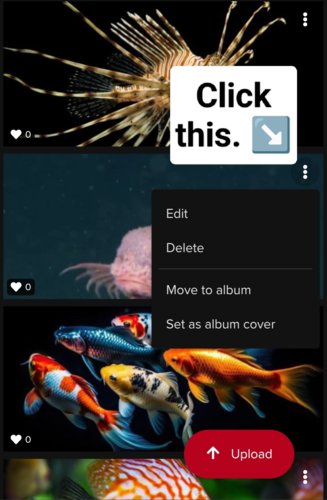
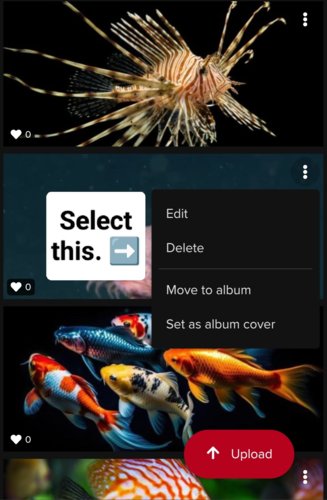
3. Select 'Delete' from the selection popup.
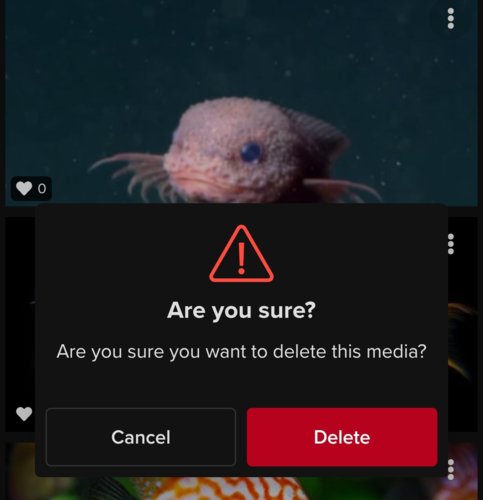
4. A popup message will appear asking 'Are you sure you want to delete this media?'
Click/tap on the Delete button.
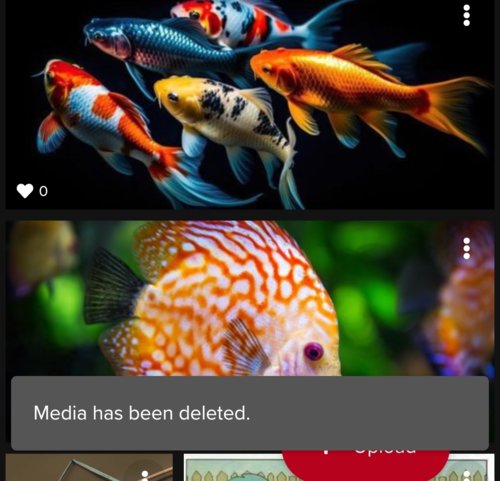
5. A confirmation message will appear that says, 'Media has been deleted.'